Showing posts with label youtube. Show all posts

Wednesday

YouTube Rating Bar in Video Thumbnail

YouTube Likes and Dislikes Rating Bar in Video Thumbnail:
YouTube Rating Bar in Video Thumbnail

YouTube Ratings Preview is a Chrome extension that shows the likes and dislikes bar over every video thumbnail in YouTube so that you can know its rating before playing it. Ratings are displayed as a red/green bar below every video thumbnail on YouTube search results, featured and related videos to give you the user feedback about  the quality of the video. Get YouTube Ratings Preview for Google Chrome. There is also a userscript that shows YouTube likes and dislikes rating bar under video thumbnails, called YouTube Rate Everything for Firefox, Opera and Internet Explorer user.

Read more »

Sunday

YouTube Video Editor

YouTube Video Editor: With the YouTube’s new Video Editor you can now edit and customize your uploaded videos easily with its new editing tools and powerful features. The new YouTube Video Editor lets you trim video, rotate, remove, stabilize any camera shaky video, enhance video contrast, colors intensity and color temperature. You can also apply some special effects to from preset video effect themes like, "Sepia", “Lomo-ish”, "Old Fashioned", "Comic Book" from the YouTube's New Video Editor Effect tab. Just upload them as usual and press the "Edit Video" button to begin editing. YouTube Video Editor Website.

Read more »

Friday

Freemake Free HD Video Downloader

Freemake Free HD Video Downloader:
Freemake HD Video Downloader allows you to download videos from YouTube, Google, Facebook, Dailymotion, other sites in HD, MP4, FLV, 3GP or convert web videos to WMV, MP4, MP3. Freemake Video HD Downloader released on Aug 25 2011. Download Free Freemake Video Downloader. Freemake Video Downloader File Size 9.90MB. Freemake Video Downloader Website

Read more »

Thursday

YouTube Download Manager

YouTube Download Manager

YouTube Download Manager:
Free YouTube Download Manager, the Jordy Video Downloader enables you to download high definition online videos directly from your browser (Firefox, Chrome). With this YouTube Download Manager you can accelerate your video download speed from YouTube, DailyMotion, Trilulilu, Metacafe, Break, Vimeo. Jordy YouTube Download Manager released on 2011-8-11. Download Free YouTube Download Manager Jordy Video Downloader. Jordy Video Downloader Website

Read more »

Tuesday

Real YouTube Downloader

Real YouTube Downloader

Real YouTube Downloader:
Real Downloader allows you to download your favorite YouTube SD and YouTube HD videos with just one-click directly from your browser. With Real YouTube Downloader, not only can you download YouTube videos, you can also download other online videos and watch your downloaded videos immediately using the built-in video player. Real YouTube Downloader released on 2011-8-9. Download Free RealDownloader to Download YouTube and any other online video. Real YouTube Downloader File Size 667 KB . RealDownloader Website

Read more »

Wednesday

Download YouTube HD Video with VSO Downloader

Download YouTube HD Video with VSO Downloader: 
VSO Downloader is a free audio and video downloader with download speed accelerator that automatically detects steaming audio and video (e.g YouTube HD Video) content while you are playing it on your web browser.  VSO Downloader will be handy if you want to download videos from YouTube in HD (720p, 1080p), dailymotion, megavideo, mlb, baidu and from other thousands of sites with fast download speed. Download Free VSO Downloader to download YouTube HD Video. VSO Downloader File Size 4 MB. VSO Downloader Website.

How to Download YouTube HD Video:
To download a YouTube HD (720p, 1080p) video, launch VSO Downloader and play the YouTube video in HD mode in your browser that you want to download, now VSO Downloader will automatically detect the YouTube HD video you are playing and add it to its download list. If  you enable the ‘download automatically detected media’ option, it will also start downloading the YouTube HD video automatically. The advantage of using VSO Downloader is its download speed accelerator engine which is optimized to download a large video file like YouTube HD video quickly.

VSO Downloader can download multiple video at a time and allows you to Pause and Resume your download. VSO Downloader works independently from web browsers, so therefore it works with most popular browsers including Internet explorer, Firefox, Chrome, Opera, Safari.

Read more »

Friday

Video-Sharing from Software to Site

Where do you share videos?

Upload videos to video-sharing sites from your softwareIt should come as no surprise to anyone that the use of video-sharing sites is on the rise, which is why we are working on making it as easy as possible to share your finished video projects from our video software, including VideoPad video editor and PhotoStage. Most recently we added direct uploading to Facebook and Flickr in addition to YouTube to the export options in VideoPad. All you have to do is set up your account information the first time, and VideoPad will do the rest. By automating the uploading process, we allow you to post more videos online.

But are there any other video-sharing sites that should be added? You tell us. We want to make sure that our software is as easy to use as possible. Post a comment to this post and we’ll take your suggestions to the developers. Thanks for the feedback!
Read more »

YouTube SDK Download

YouTube Application Programming Interface

The YouTube Software Developer Kit for .NET contains all you need to get you started with the YouTube API. The YouTube SDK will enable you to easily write your own code and make websites and apps embedding YouTube functionality. Download Free YouTube SDK. YouTube SDK File Size 7.4 MB . YouTube SDK Website

Read more »

Sunday

Miro Free Video Player Downloader Converter

Miro Online Video Player, Downloader, Converter
Miro Online Video Player

Miro is a online video player, downloader, converter and manager that makes video on the internet way less frustrating and way more enjoyable. You can subscribe to channels of internet video, download videos, and watch them fullscreen, one after the other, all in one application. A built-in YouTube, Hulu, YouTurrent browser and channel guide brings you new content every day. Miro is free and open for everyone to watch and to broadcast. Download Free Miro for Windows, Mac OS and Linux. Miro File Size 38.73MB. Miro Website

Read more »

Monday

YouCam Webcam Software Features

YouCam Webcam Software

YouCam Webcam Software features:

YouCam  gives amazing Augmented Reality:
· A synthesis of the real world and the virtual, Augmented Reality is the hottest technology around since it began appearing in Hollywood movies like Iron Man II. This new technology enables you to enhance reality with virtual computer-generated imagery.

YouCam gives interaction with 3D Objects:
· YouCam 4 can magically conjure virtual objects on your hand, or body in real time. Print out a marker then let the advanced pattern recognition technology do its work, interacting with whichever 3D object you've selected and integrating it into the webcam video window. Just hold the pattern marker in front of the camera and it will be replaced by a 3D object in the right perspective and the appropriate size. You have to try it to believe it!

YouCam will spice Up Your Videos:
· Choose from a variety of objects that can magically appear in the palm of your hand. A snow ball, a carousel, or a bunch of flowers. Amaze your friends with a completely new way to liven up your webcam chats and move your online communication to a new level.

YouCam gives Avatar...Your Way:
· Can't find an avatar to fit your personality or mood? With YouCam 4 this is no longer a problem. The new avatar creation feature lets you put together fun creations to express yourself using a wide variety of facial and accessory components.

Create your own Avatar with YouCam:
· Want to create a personalized avatar? Now you have even more ways to create the new you for video chats. With YouCam’s graphic components you can create avatars that resemble your friends, family and of course yourself. Choose from a wide range of accessories to decorate your very own avatar. Mix and match with YouCam 4 the possibilities are endless.

YouCam  gives Built-in Avatars:
· And if you prefer not to create your own avatar, or if you're just looking for inspiration, check out YouCam 4's ready-made avatars. Go extraterrestrial, merry and jolly, war monger or fuzzy and cute. With YouCam's facial tracking technology, express yourself and watch as your cyberspace twin does the same! Nod vigorously, shake your head side-to-side, or raise your eyebrows in delight.

YouCam  provides interactive Particle Effects:
· Rose petals, snowflakes, confetti…don’t just let it passively rain on you, you can now also interact with it. Object particles settle on edges and borders and can be wiped away by you with a quick flick of your hand.

Headgear Gadgets:
· Get your head in the game with YouCam's new headgear gadgets. Fun comes naturally to your chats with 25 virtual accessories! You can even role-play as the wicked witch of Westwick, NYC cop, or a royal highness.

YouCam Scene Effects:
· Wishing to make the scene? With YouCam 4's new scenic effects, travel the world while you chat online! From New York to Paris, metro stations to a Polaroid, your buddies will never know where you'll end up.

YouCam gives Emotional Stamping & Stomping:
· Take control over your online emotions when chatting and recording live. More than a random display of feelings, make a mark and stamp YouCam 4's emotional effects on any part of the screen.

Video Recording Themes:
· Record video cards for birthdays and other events. Automatically create a themed-video with YouCam to commemorate a special occasion online. Once that day arrives, email, upload to Facebook or publish on YouTube.

Filter, Distortion & Frame Effects:

· Frame Effects - Just like a photo frame, these effects embellish your photos or videos. Choose a style to match your style of conversation.

· Filter Effects - Change the tone of the conversation and your mug by using popular TV-like effects.

· Distortion Effects - Warp online reality using YouCam's mesmerizing range of 11 distortion effects. Better than funhouse mirrors ever were.

· Touch Enabled - Now you can use YouCam’s support for touch-sensitivity to move a distortional effect around on the screen just with the tip of your finger.

YouCam allows to Upload Videos & Photos Directly to Facebook:
· Available in YouCam 4, directly share videos and photos with family or friends thousands of miles away on Facebook, one of the world's fastest growing social network sites. Simply record with abandon and snap away. Upload when you're done.

Post Widescreen Videos on YouTube:
· Get ready to broadcast yourself with a new array of publishing options on YouTube, the world's most popular video sharing site. You can upload videos using traditional standard/letterbox (4:3) size or using new widescreen (16:9) sizes depending on your recording device.

Showcase Your Videos on DirectorZone.com:
· With thousands of effects available for you to download for free from DirectorZone.com, you can show how you use them by posting your videos to DirectorZone.com too. YouCam lets you automatically post to DirectorZone.com as part of the process of uploading videos to YouTube.

YouCam provides Facial Tracking Technology:
· Grin like a Cheshire cat. Nod in approval. Bob your head from side-to-side. YouCam's sophisticated facial tracking technology locates your face accurately for applying headgear gadgets, avatars and cool effects.

· And when you're ready to go live, no need for a complicated studio setup nor a grouchy cameraman. With facial tracking technology, YouCam hones in on the star of the show automatically” You! Every head movement will be recognized and tracked with auto zooming, regardless of you switching positions.

· Auto zooming: Automatically identifies your face and zooms in/out (max. 4x) depending on your location in the shot

Record with HD Webcams:
· YouCam supports all the major HD webcams on the market today at 1280 x 800 resolution and above.

· Improved image quality: Create better recorded videos and photo snapshots
· Refined facial tracking technology: HD webcams allow for better tracking and recognition of facial reactions.
· Mirror Mode in HD: You'll experience a significant enhancement in Mirror Mode before your live presentation

Share Your Ideas More Clearly:
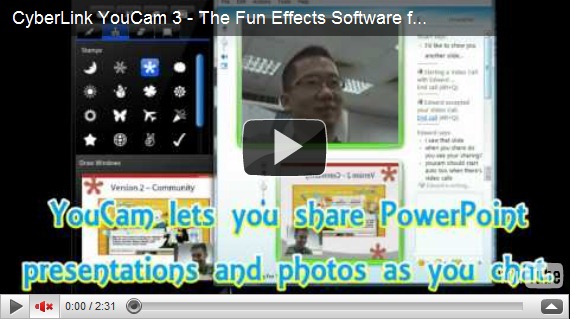
· Use your instant messenger software to make live presentations and share PowerPoint (PPT) files easily. While messaging online, you can communicate ideas with real-time sharing of photos, presentation files (PPT), and live PC desktop video capturing, for assisting your audience with step-by-step procedures.

More Live Presentation Tools:
· Brush and Stamp Tools Library - For emphasizing special points, mark directly on live video, photos or presentation files. This way you can highlight and write as you go without affecting the recording or your presentation.

· Color Boards - Alter background color by inserting any of the 32 color boards for mimicking a start screen, jotting down points orfreehand drawing.

· Mirror Mode - Before starting a live presentation, YouCam's Mirror Mode is a convenient way to check your appearance before the recording begins.

YouCam provides Desktop Capture Mode:
· Create easy-to-follow demos for illustrating software operation or step-by-step tutorials with YouCam's desktop capture mode.

Multi-Touch Interaction:
· Supporting the latest touch-enabled hardware and Windows 7 touch features, YouCam's new interface design supports multi-touch interaction enabling online activity to feel more intimate. Get in touch with your emotions as you work with features and effects directly on the screen. With YouCam's larger-than-life effects, you'll never be at a loss for words (or emotions) again.

· Jot down notes and draw directly during a live presentation
· Apply effects directly via touch
· Stamp emotion stamps on any area of the screen
· Move distortion effects with your finger

Read more »

Friday

Be a VideoPad YouTube Export Expert

Upload videos directly to YouTube with VideoPad video editing softwareOne of the neat things about our VideoPad Video Editor is the ability to not only output a YouTube-ready video, but the ability to upload a video directly to YouTube, making the transition from local to internet viewing quick and easy, eliminating much of the upload hassle on your part. How? Take my hand, friend, and we'll walk across this avenue together.

Inside VideoPad (and once you’re happy with your finished video), go up to the top menu and select the "Save Movie" button. This will bring up a dialog box with export settings for a variety of formats at the top. From this menu, scroll over to the rightmost selection, (YouTube), and select the YouTube icon. Once selected, you’ll notice that you have new, YouTube-specific options below, such as where to save your file locally, YouTube login details, places to add details about your movie, keyword information, etc. Fill in the blank fields and hit "OK". From here, VideoPad goes into autopilot and will remotely login to YouTube, encode your movie and upload it for you; all you have to do is sit back and relax.

This is just one of the many small innovations that make VideoPad one of the most user-friendly video editing packages available. If you’d like to jump into the editing arena, VideoPad offers an intuitive, simple interface so you’ll be editing your own masterpieces in no time. Try VideoPad free, and if you’re new to VideoPad or looking for a more in-depth look at the finer points of editing, watch our VideoPad tutorial series to help get your feet wet.
Read more »

Thursday

What you need to know about copying or editing someone else’s music

You might find yourself editing music and wondering, am I allowed to do this? Whether you’re making your own music mashup with the MixPad multi-track mixer, adding a soundtrack to your home videos with VideoPad video editor, or making a new ringtone for your phone with WavePad audio editor, there are some rules you need to know about your music, and how you’re allowed to use it.

What’s mine isn’t yours and what’s yours isn’t mine
What you need to know about copying or editing someone else’s musicThat is the legal stance as far as copying or editing someone else’s music is concerned. With the increased popularity of the MP3 music format in the late 1990s, the sharing of copy written music without authorization became much more prevalent, causing an increase in concerns about copyright infringement. Today, copyright infringement isn’t something to take lightly. If you’re caught copying or editing someone else’s work you may be forced to pay heavy fines. Just ask former Boston University student Joel Tenenbaum - he had to pay $675,000 in fines for illegally downloading music.

Copying Music
According to The Copyright Act of 1976, you are allowed to copy someone else’s work if it falls under fair use. Fair use is described as using limited portions of a work, including quotes, comments, criticism, news reporting, and scholarly reports.

Editing Music
Since it is legal to create software to edit music, shouldn’t editing music be legal? There is a lot of talk about reselling and downloading copyrighted music, but not too much about edited music. The most important thing to know is you can edit music as long as you do not intend to use it for commercial use. Also, once you purchase music you inherit the rights to share that music with your friends, and you are also allowed to edit that music as long as you keep a copy of the original.

For more information see the following articles:
Using Edited Music on YouTube
For quite some time now, posting copyrighted or edited music to original videos on YouTube has been a problem. However, as of June anyone who wishes to put music behind their videos can, you just have to follow these simple rules. First, it is important to know that YouTube has signed a deal with Rumblefish, allowing users access to a library of music. Therefore, if you use music from this library you can edit it any way you like without worrying about YouTube removing your video. All you have to do is purchase the song for $1.99 and you will have a lifetime license to use and edit that song on YouTube.

Basic things to remember
  1. Always purchase music legally either at a music store or online
  2. If it’s not your original music, using it may be violating someone’s copyright
  3. If you aren't sure something is copy written, check with the US Copyright Office
  4. Selling or redistributing music without the copyright owners permission is a violation of the owner's rights
  5. If you edit or mix song you’ve purchased, you have to keep a copy of the original song
  6. Only the owner of copy written work has the right to prepare or authorize someone else to create a new version of that work
  7. When using someone else’s work, even just a portion of it for a video or any other project, it is always a good idea to credit the original artist(s)
Read more »

Friday

Video Downloader Software Saving Online Videos Made Easy

Online Video Downloader SoftwareWith thousands of web pages and files added every day, sharing is the cornerstone of the web, and online video is all the rage these days. With it's oft times comic whimsies and profound sentiment, online videos are arguably the most popular form of shared content on today’s internet. And while uploading videos has become so easy it’s practically an automated service, the same can’t be said for downloading them. It could be that a family member or friend uploaded a video you want to show others. Maybe you keep an archive of files for creative inspiration. And, if you’re like me, having these files on-hand is more convenient than bookmarking every video worth remembering. Whatever the reason, saving online video files isn’t as easy as, say, saving an image. Many times, these files are encoded in a way that makes saving them locally near-impossible if you don’t have the right tools.

Enter FlashLynx video downloader. Downloading video files shouldn’t be as difficult as it is, so make it easy on yourself. FlashLynx is a free, user-friendly online video downloading program for Windows. Simply type in the web URL of the video you want to download, choose the video file format (there’s over a half dozen to choose from), decide where to save it, and you’re done. Simple.

FlashLynx is also a stand-alone program, not a shady online video conversion service hiding in a dark lonely corner of the internet. So if you have a list of YouTube videos you've been wanting to burn to edit video clips together from, burn to DVD, or simply save, mosey on over to NCH, well-lit part of the internet, and download your free copy of FlashLynx video downloader software.
Read more »

Wednesday

Video Software and YouTube Can Make Nice

Problem: you have a video you’d like to share with the world via YouTube, but for one reason or another, YouTube doesn’t like your movie file and ultimately rejects your upload. Uploading a video... the process sounds easy enough, but in reality, a lot of hand-shaking has to happen behind-the-scenes to get your video prepped accordingly before YouTube will accept your video. Do you wish there was an easy-to-use, yet powerful video editing package that would help streamline the process? Of course you do, and, like an arch-angel, VideoPad has jumped in to save the day!

If you’ve ever used any non-linear video editing software, exporting a project (that is, saving a project file to a watchable movie) can be the cause of many headaches, especially if all you want to do is upload a file to YouTube. Generally, you have to export your project file to an acceptable file format while keeping within the size limitations, and once that’s done, you’re at the mercy of YouTube to both encode the file properly and decide the video/audio quality, a sometimes shaky truce.

If you have ever had trouble with this in the past, you'll be happy to learn that VideoPad is one of the few video editing packages on the market that allows you to export your video directly to a YouTube-ready file. Simply select the "Save Movie" button from the toolbar, and in the window that pops up, choose one of the YouTube file formats under the preset tab; you can choose either YouTube standard, YouTube Widescreen or YouTube HQ, among others. VideoPad will do the heavy lifting for you, ensuring a pain-free uploading experience with minimal hassle when you're ready to share your final movie.

Taking things a step further, VideoPad even has custom presets for your mobile and PMP devices (such as the iPod, iPhone or PSP) for on-the-go sharing, so you can save your movie masterpiece to your cell phone too.

Such convenience usually has a price, but in this case, it’s free! Just head on over to NCH Software to download the free version of VideoPad Video Editor, and see just how easy sharing can be, and while you're at it maybe you might want to take a look at some of our other software for YouTube.
Read more »